
TrustDialerSms features
Messages that stay readable, searchable, and yours.
A focused SMS and MMS app for people who want conversations that are easier to find, easier to read, and more deliberate about what stays protected.
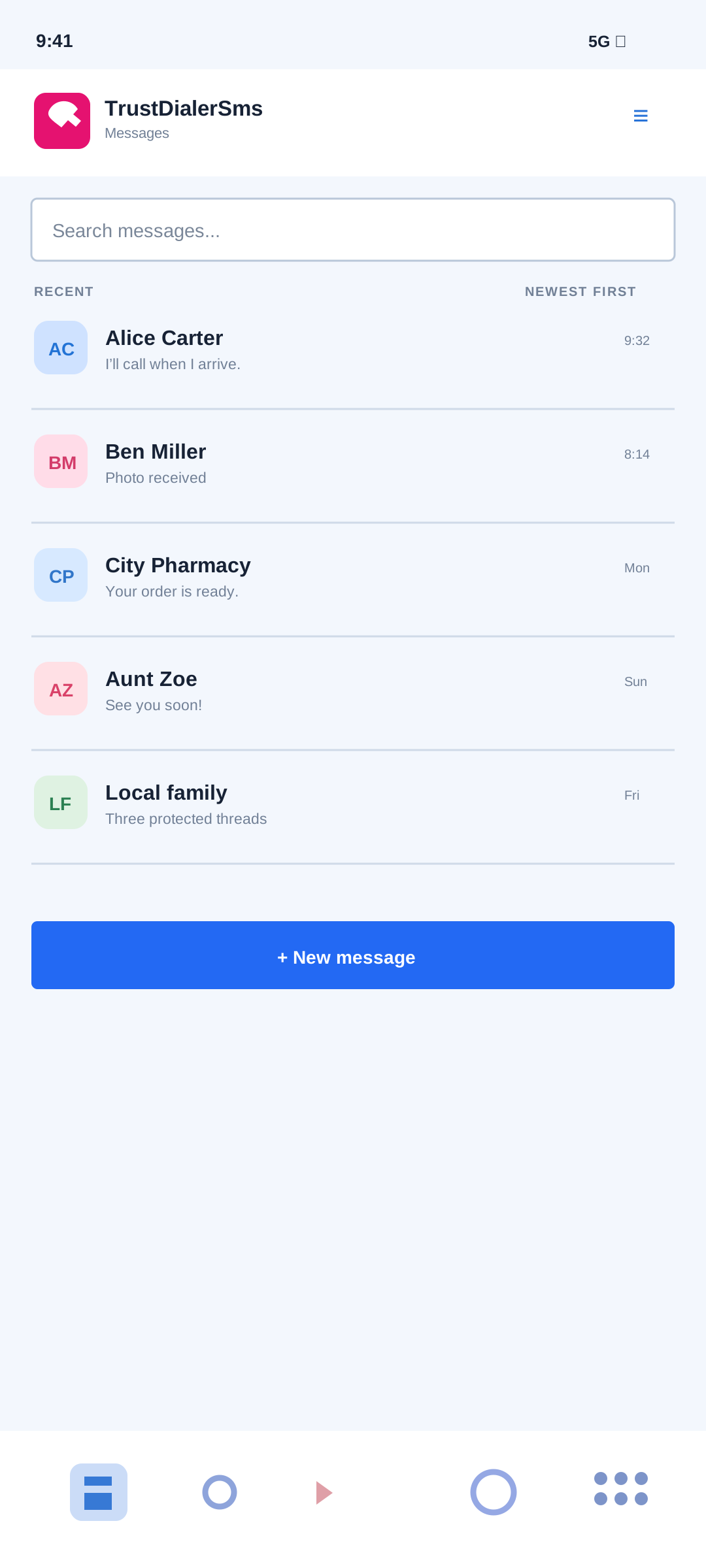
What it helps with. TrustDialerSms gives everyday SMS and MMS conversations a readable home instead of making people hunt through a generic messaging surface. Recent threads, contact context, and useful ordering stay together in one focused inbox.
The app is built around the phone’s local message provider. It does not turn the inbox into a cloud account or an RCS service, and it keeps the ordinary task—finding the right conversation and opening it—easy to see.
Common questions
Does the inbox handle both SMS and MMS?
Yes. It is designed around SMS and MMS records that Android makes available to the default SMS app.
Does it replace RCS?
No. TrustDialerSms focuses on SMS and MMS while the carrier and Android continue to provide the underlying message transport.
What it helps with. A message list should show what needs attention without forcing a person to open every thread. TrustDialerSms keeps unread counts visible and uses saved contact names when Android contacts access is available.
When a contact name is not available, the phone number remains visible rather than being replaced by a confusing blank row. That keeps the inbox useful even when optional contacts permission has not been granted.
Common questions
Do unread counts update when a new message arrives?
Yes. The inbox refreshes its message state when Android reports new SMS or MMS content.
What happens without contacts permission?
The app can still use message addresses, but names and recipient suggestions are limited to what Android exposes.
What it helps with. Not every conversation has the same job. TrustDialerSms can keep an important thread pinned, move a finished thread into Archived, or mute a noisy thread so its incoming notifications do not interrupt the person using the phone.
Pinned rows sort ahead of regular rows, archived rows move into the Archived view, and muted state belongs to the conversation rather than changing the phone’s whole notification policy.
Common questions
Does archiving delete messages?
No. It changes where the conversation is shown; the underlying messages remain on the device.
Does muting stop messages from arriving?
No. It suppresses incoming notifications for that thread while the messages remain available in the inbox.
What it helps with. A family may want to stop a sender from interrupting the inbox without losing the reason that sender was blocked. The dedicated Blacklist page lets users add, edit, remove, search, and sort blocked entries, with optional names and notes for local context.
Conversation menus and inbox selection actions can also add or remove a displayed sender from the blacklist. The phone’s SMS provider and Android role still determine what message filtering is technically possible.
Common questions
Can a blacklist entry be found by its note?
Yes. Search can use the number and the local name or note attached to the entry.
Does a note change the Android contact?
No. The note is TrustDialerSms context stored for the blocked entry.
What it helps with. When TrustDialerSms is the default SMS app, it automatically downloads incoming MMS over mobile data and saves the text, pictures, and participants so picture messages and carrier group MMS can appear in the conversation.
If a download fails temporarily, the app retries up to six times over about nine hours, including after a reboot. If every attempt fails, a notification asks the user to have the sender resend the message. Carrier delivery, mobile data, Android permissions, and the default-SMS role still affect whether an MMS can arrive.
Common questions
Do I need to tap a download button for each picture message?
No. Incoming MMS download is automatic while TrustDialerSms has the default-SMS role and the device can use mobile data.
What if a picture message never arrives?
Check mobile data and the default-SMS setting. After its retry window ends, TrustDialerSms shows a resend notification rather than silently hiding the failure.
What it helps with. New messages should appear without a person having to close and reopen the app. TrustDialerSms registers Android delivery receivers for incoming SMS and MMS and uses a lightweight content-change notifier to refresh the visible inbox and thread.
The receiver path respects Android’s default-SMS role and permission rules. If the device does not allow the app to receive or read a message, the app can explain the missing access instead of pretending the inbox is current.
Common questions
Does the inbox poll continuously?
No. Android delivery and content-change events drive refreshes, which keeps the app local and responsive.
Can an incoming MMS refresh the same way as SMS?
Yes, when Android delivers the MMS and the app has the access required to read its content.
What it helps with. A person should be able to respond to an incoming message without first navigating through several screens. TrustDialerSms can show a per-thread notification with tap-through, mark-read, and quick-reply actions when Android permits those notification actions.
Notification permission and the device’s notification settings still control whether the alert is shown. Conversation mute state can suppress incoming notifications for a selected thread.
Common questions
Can a notification mark a thread read?
Yes, when the Android notification action is available and the app has the needed SMS access.
Does quick reply create a separate messaging system?
No. It sends through the same Android SMS path as the in-app composer.
What it helps with. Android reserves important SMS behaviors for the app holding the default-SMS role. TrustDialerSms explains that requirement during setup and gives the user a clear path to the Android role chooser instead of hiding the reason an inbox may be incomplete.
Before Android’s default-SMS-app prompt, a “Messages and contacts” disclosure explains SMS and MMS access, optional contacts use, and on-device storage, with Continue and Not now choices. The app requests SMS permissions only while it is the default SMS app and stops reading the inbox, backup export, and message counts if another app takes that role.
Common questions
Must TrustDialerSms be the default SMS app?
For full read, send, receive, notification, and restore behavior, Android may require it to hold the default-SMS role.
Can I use the app without changing the role?
Some screens may open, but Android can limit provider access and message actions until the role is granted.
What it helps with. TrustDialerSms separates the permissions it needs for reading, sending, receiving, and notifying from optional contacts access used for names and recipient suggestions. Setup shows the practical state of those permissions and the default role.
On supported phones, the app also accounts for notification access and optional phone-state access used for dual-SIM routing. Denying an optional permission does not turn the whole app into an unexplained error state; it narrows the features that can use that data.
Common questions
Which access is needed for the core inbox?
Android SMS role and SMS/MMS permissions are central. Notifications and contacts improve the surrounding experience but have their own controls.
Can permission choices be changed later?
Yes. Android Settings remains the authority, and the app’s Setup and Help pages explain what each access changes.
What it helps with. A conversation keeps the contact, address, message bubbles, and composer visually connected so the person using the phone can follow the exchange without a crowded interface. Incoming and outgoing messages remain distinct.
Setup includes a conversation text-size control with a live preview and a smooth slider. It is intended for different eyesight, ages, and reading preferences without changing the rest of the Android system.
Common questions
Can message text be made larger?
Yes. The conversation appearance setting controls the message text size used by TrustDialerSms.
Can a new conversation be started?
Yes. The inbox action opens the composer, and existing threads keep the composer available for replies.
What it helps with. An incoming-only thread can be easier to understand when the newest message is immediately visible. TrustDialerSms opens those threads newest-first while preserving normal chat order for conversations that contain replies.
This default is deliberately contextual rather than a blanket reversal of every message thread. The top-bar sort control still lets the user choose a different layout when the automatic choice is not right for that conversation.
Common questions
Are reply threads reversed too?
No. Threads with replies keep the ordinary oldest-first chat flow unless the user changes the sort.
Does this change the stored message order?
No. It changes presentation in the thread; Android remains the source of the message records.
What it helps with. Different people read message history differently. A thread’s top-bar sort control can switch between Automatic, Newest first, and Oldest first without forcing the user to change a global inbox setting.
That makes it practical to inspect the latest incoming instruction quickly, then return to a chronological reading order when reviewing a long back-and-forth conversation.
Common questions
Is the sort choice available inside a thread?
Yes. The control lives with the conversation so the choice is close to the messages it affects.
Does newest-first delete or rewrite anything?
No. It only changes how the existing messages are displayed.
What it helps with. A person may begin a message before they have the right photo, detail, or time to send it. TrustDialerSms keeps the draft associated with the conversation so leaving the thread does not silently discard unfinished text.
Draft state belongs to the local app experience and remains separate from an already-sent SMS. The composer can be reopened later to finish and send the message through Android.
Common questions
Can I leave a thread without sending?
Yes. The draft remains available when the conversation is opened again.
Is a draft an SMS already sent to the carrier?
No. It is local unfinished compose state until the user sends it.
What it helps with. New-message recipient search reuses the on-device contacts index. TrustDialerSms prefers names that begin with the typed text, then uses other available contact and number information to help the user reach the right person quickly.
The ranking is designed for names people actually remember, while exact-name matches can still expose the contact’s available numbers rather than guessing silently.
Common questions
Does recipient search require contacts permission?
Contacts access is needed for saved names and suggestions. Without it, the user can still enter a phone number directly.
Can I type a number instead of a name?
Yes. The composer accepts a direct destination number when a contact match is not the goal.
What it helps with. A contact can have work, personal, landline, or other numbers. When one contact has more than one usable number, TrustDialerSms asks which destination should receive the new message instead of sending to an arbitrary entry.
The same contact-aware path supports recipient suggestions and keeps the selected address visible in the compose flow so the user can confirm it before sending.
Common questions
Does the app choose the first number automatically?
No. Multiple-number matches can open a selection step so the user makes the destination choice deliberately.
Can a direct number bypass the contact picker?
Yes. A user can enter a number directly when that is the clearest route.
What it helps with. A conversation header can be the fastest place to reach the person behind a message. TrustDialerSms exposes contact and call actions from the thread when Android and the installed family app make those actions available.
The shortcut keeps the messaging app focused: it can hand a call or contact action to TrustDialer, the system contact editor, or another compatible Android app instead of pretending SMS should own every phone task.
Common questions
Can I call a sender from the thread?
Yes, when Android exposes a usable phone number and a compatible calling action.
Does TrustDialerSms replace the phone’s contact editor?
No. It opens the family or system contact path that is available on the device.
What it helps with. A new sender should not require copying a number by hand into another app. From a conversation header, TrustDialerSms can open the matching family contact editor or the Android fallback when the number is not yet saved.
Contact creation remains an explicit Android contact operation. The SMS app uses contact data to improve names and suggestions but does not silently rewrite the phone book.
Common questions
Can an unknown sender be added as a contact?
Yes, when the device exposes the contact creation action.
What if the family contact editor is not installed?
The app can fall back to the system contact route where Android provides one.
What it helps with. Read state is useful when a person needs to return to a conversation later. TrustDialerSms keeps unread information in the inbox and offers Mark unread actions from inbox selection and thread menus.
Marking a thread unread is a deliberate local message-state action; it does not send a signal to the sender or change the content on the carrier’s system.
Common questions
Can I mark a conversation unread after opening it?
Yes. Use the thread menu or inbox selection action when it should come back as a reminder.
Does unread state delete anything?
No. It changes the local read marker only.
What it helps with. A long inbox is easier to manage when cleanup does not require opening every thread. Long-press or selection mode can select conversations, toggle select-all, delete selected threads, mark them unread, block a sender, copy or share a plain-text bundle, or open a spam-report search for one selected sender.
The actions stay explicit and visible in the top bar, so a caregiver can see what is selected before performing a destructive operation.
Common questions
Can I select all conversations?
Yes. The top-bar check action toggles between selecting all and clearing the selection.
Can selected conversations be shared?
Yes. TrustDialerSms prepares a plain-text bundle for the Android share flow.
What it helps with. Cleanup sometimes needs to happen inside a single conversation. Thread selection mode can delete several messages, mark the thread unread, and apply saved-message lock or unlock actions where the selected rows support them.
Copy and share actions can also work on selected message-only bundles, giving the user a deliberate way to move text into another app without exposing the entire inbox.
Common questions
Can I delete several messages at once?
Yes. Select the message rows inside the thread and confirm the delete action.
Can a selected message be protected instead of deleted?
Yes. Lock it first when it should be skipped by automatic cleanup and TrustDialerSms delete actions.
What it helps with. A single message can contain the medical instruction, address, code, or family detail that should survive ordinary cleanup. TrustDialerSms lets the user lock that message from its row or thread selection flow.
Locked SMS and MMS remain readable but are skipped by the app’s auto-delete and delete actions until the user unlocks them. The current feature is deliberately per-message rather than an all-or-nothing conversation lock.
Common questions
Does locking hide the message?
No. It protects retention; the message remains readable in the conversation.
Can it be unlocked later?
Yes. The same message actions can remove the lock when the saved protection is no longer needed.
What it helps with. Sending a message is not the same as knowing whether the carrier accepted it. TrustDialerSms shows outgoing state such as sending, sent, delivered, or failed when Android provides that information, and failed rows expose a retry path.
The state stays attached to the outgoing message bubble so a user does not have to guess whether pressing Send worked or whether a second attempt might duplicate the message.
Common questions
Can a failed message be retried?
Yes. The failed message row provides a retry action when the send path can attempt it again.
Does sent mean delivered?
No. Those are different carrier or device states, and the interface keeps them separate when Android reports both.
What it helps with. On a dual-SIM phone, a conversation can contain messages received or sent through different lines. TrustDialerSms can show the actual incoming or outgoing SIM phone number on the relevant bubble when Android exposes that route.
This keeps the message history honest: the user can see which line received an SMS or which line was used for an outgoing message rather than relying on the current default.
Common questions
Does a single-SIM phone show a picker?
No. The composer hides SIM choice when there is only one active route.
Can Android always expose the route number?
No. The label depends on the device, active subscription, and provider data Android makes available.
What it helps with. A reply should normally use the line on which the latest message arrived, especially when personal and work SIMs share a phone. TrustDialerSms defaults replies to the latest received SIM on supported dual-SIM devices.
The choice is still visible and can be overridden for the next send, so the default is helpful without taking control away from the person composing the reply.
Common questions
Does this change the phone’s global SMS default?
No. It chooses a sensible route for the current reply.
Can I send from another line?
Yes. Use the manual SIM override when Android exposes more than one active subscription.
What it helps with. The automatic reply route is useful, but some messages need a deliberate exception. On supported dual-SIM devices, the composer can let the user choose one active SIM for the next outgoing message.
The picker shows real active subscriptions rather than inventing a fake route. On a single-SIM phone the control stays out of the way.
Common questions
Can the override become permanent by accident?
The manual choice applies to the next send rather than silently rewriting every future conversation default.
What if a SIM is inactive?
Only active subscriptions that Android reports as available should appear in the picker.
What it helps with. The Messages page includes inline search for when the remembered clue is a word, sender, or number rather than a thread title. TrustDialerSms searches the local conversation data and keeps matching results in the messaging shell.
That search is designed for on-device use. It does not require a TrustDialer cloud account or send the message history away just to locate an old detail.
Common questions
Can I search by a phone number?
Yes. Search can use the message address as well as available contact names and message text.
Does it search MMS content too?
It searches the text and metadata Android exposes for the conversation; image pixels are not treated as searchable text.
What it helps with. A message search can return too much history. The Date control narrows the inbox by a year-based date choice so a person can look for the conversation from a particular period without scrolling through everything.
The filter stays alongside search and ordering, making it useful for a receipt, appointment, delivery update, or family plan that is remembered by when it happened.
Common questions
Can date filtering be used without a text query?
Yes. It can narrow the message list on its own.
Does the filter delete older messages?
No. It changes what the Messages page shows while the stored records remain on the device.
What it helps with. “Most recent” is not always the only useful way to scan an inbox. TrustDialerSms can order conversation rows by latest message, contact name, or phone number while keeping unread and contact context visible.
Ordering is a presentation choice, so a user can switch from newest-first triage to an alphabetical review without changing the underlying message history.
Common questions
Does name ordering require contacts permission?
Saved contact names improve name ordering. Without them, Android addresses remain the fallback.
Can I return to newest messages quickly?
Yes. Choose the latest-message ordering when the inbox should prioritize recent activity.
What it helps with. Once a conversation is open, the useful clue may appear several screens above the latest reply. Thread search can find matching message text and highlight the result in the bubbles so the user can understand the surrounding context.
The search stays scoped to the current conversation, which is useful for long family, work, or service threads where an inbox-wide result would still leave too much history to inspect.
Common questions
Does in-thread search change the message?
No. Highlighting is a temporary reading aid.
Can I still copy or share a matching message?
Yes. Search does not remove the normal message actions.
What it helps with. When a sender looks suspicious, TrustDialerSms can open an external spam-report search for the displayed sender address from the conversation or inbox action menu.
This is a handoff to an external search or browser, not a TrustDialer-owned spam database. The user decides whether to investigate, block, or return to the message app.
Common questions
Does the app automatically label a sender as spam?
No. It provides a lookup shortcut and leaves the decision visible to the user.
Can the sender also be blocked?
Yes. Blacklist actions remain available separately from the external lookup.
What it helps with. A phone move should not require losing the app state and message history a family still needs. The supported full backup flow can export TrustDialerSms settings, contacts, and SMS data into a password-protected encrypted file when Android allows those sections.
The SMS app keeps its backup scope honest: it does not claim to carry dialer-only call history, whitelist data, or protected-mode data from the separate TrustDialer app.
Common questions
Does backup require a cloud account?
No. The encrypted file is created locally and is shared or moved only when the user chooses an Android destination.
Can MMS records be included?
Supported SMS/MMS data can be included when Android exposes it and the selected build permits the section.
What it helps with. A backup file can contain private conversations, contacts, and settings. TrustDialerSms asks for a password when creating a protected export and requires the same password before preview or restore can read the encrypted contents.
Wrong passwords fail early. The app does not turn an unsuccessful decryption into a partial restore or pretend that an unreadable file was safely imported.
Common questions
Can the backup be previewed without its password?
No. The password is required before the encrypted manifest and sections can be trusted.
What happens after a wrong password?
The operation stops before data is written, so the phone is not left with a half-restored state.
What it helps with. A household with more than one phone can quickly lose track of which backup belongs to which device. Setup lets the user rename the phone label used in exported filenames, while the generated name also carries the app version and export time.
This small piece of metadata makes local folders, shared drives, and caregiver handoffs easier to audit without putting the message contents into the filename.
Common questions
Can I change the phone label later?
Yes. Change it in Setup before the next export.
Does the filename expose message text?
No. It identifies the device and export context rather than including message contents.
What it helps with. Different families move backup files in different ways. TrustDialerSms can prepare an encrypted export for Android’s document or share flows, with supported destination options such as local storage, USB or SD storage, Drive, Docs, or Gmail handoff.
Availability depends on the apps, storage provider, and device. A destination tile is not a promise that every phone has that service installed or that the service is a TrustDialer cloud.
Common questions
Does Gmail receive an unencrypted message archive?
No. The app prepares the encrypted backup locally and opens the Android share flow with the file.
How does restore choose a source?
Restore uses Android’s file picker so the user can select a local or provider-backed backup file.
What it helps with. Restore is safer when the user can see what the file contains before approving it. TrustDialerSms validates the encrypted manifest, summarizes available sections, and shows the kind of change the restore would make.
The preview separates app settings, contacts, and SMS-related sections so a caregiver can notice an unexpected file or choose not to continue before the phone is changed.
Common questions
Can preview write anything to the phone?
No. Preview is an inspection step before simulation or restore.
Does preview support older setup-only files?
Compatible legacy files can expose app settings, but they do not magically restore SMS or contacts that are not present.
What it helps with. A simulation runs the same matching and access checks as a restore while writing nothing back to the phone. It is a practical rehearsal for a caregiver who wants to know whether the selected file and Android roles are ready.
Simulation can surface skipped sections, unresolved contacts, or SMS-role requirements before the real import, so a family can fix the destination or permissions first.
Common questions
Does simulation change the message database?
No. It reports the planned outcome without writing the selected sections.
Can I simulate only selected sections?
Yes. The restore flow supports section choices when the loaded backup exposes them.
What it helps with. A phone move is not always an all-or-nothing event. TrustDialerSms can restore supported sections such as app settings, contacts, and SMS separately, so a user can avoid replacing data that should remain on the destination device.
The preview and restore controls keep merge, replace, skip, and unsupported outcomes visible instead of hiding them behind one large import button.
Common questions
Can SMS be restored without contacts?
Section selection can separate the request, although Android role and provider rules still decide whether each selected section can be written.
What if Android blocks a section?
The app reports it as skipped with a warning rather than counting it as restored.
What it helps with. Restoring contacts should not create a duplicate for every person already on the phone. TrustDialerSms compares available contact identity and phone data, lets the user review matches, and uses a deliberate contact destination when a new entry is needed.
Existing contacts stay on their current source when possible, while unmatched entries can be routed to the selected destination. Android contacts access remains required for the comparison and write steps.
Common questions
Will restore duplicate every contact?
It tries to match existing contacts first and creates a new entry only when it cannot confidently resolve one.
Can I review contact groups during restore?
Supported contact group and destination choices are exposed through the restore planning flow when Android provides them.
What it helps with. Android can restrict message writes to the default-SMS app. TrustDialerSms checks that requirement before trying to restore SMS and explains when the user may need to make it the default app temporarily.
This prevents a restore screen from claiming success when the device has accepted the file but refused to write its message rows. The selected contact and app-settings sections can still be handled separately when permitted.
Common questions
Must the app be the default SMS app for every restore?
SMS restore may require the role; app settings or contact sections can have different Android requirements.
Does the app silently change the default app?
No. Android controls the role request, and TrustDialerSms explains the step before the user confirms it.
What it helps with. A large contact or SMS restore can take long enough that a blank screen looks like a failure. The busy card names the active section and updates a processed-versus-total counter for long imports.
Restore and simulation also keep the progress panel visible when the flow scrolls into view, so the user can see that work is continuing rather than pressing the action again.
Common questions
Can I tell whether SMS or contacts are active?
Yes. The progress state reports the current section and its running entry count when available.
Does progress mean every section will finish?
No. Final status still reports skipped or blocked sections separately from completed work.
What it helps with. Reset is useful for a deliberate clean start, but a messaging app should make the consequences hard to misunderstand. TrustDialerSms warns when no full backup is recorded and lets the user choose the sections to clear.
Reset can clear app settings and SMS within the SMS app’s smaller scope. It does not wipe the phone’s Android contacts database, and locked SMS receives an additional warning when the user chooses to delete it too.
Common questions
Does Reset data delete contacts?
No. It does not remove contacts from the Android contacts database.
Can locked messages be kept?
Yes. The reset flow warns about locked SMS and lets the user avoid deleting them unless the explicit delete-locked option is enabled.
What it helps with. Some phones should not retain every message forever. Setup can define an age rule for all messages, read inbox messages, or sent messages, with manual cleanup and background rescheduling while TrustDialerSms remains the default SMS app.
The rules are separate so a family can keep unread messages longer, remove sent messages sooner, or avoid automatic cleanup entirely. Locked messages remain exempt until they are unlocked.
Common questions
Can auto-delete remove unread messages?
Only if the user chooses the all-messages rule; the read-message rule leaves unread inbox messages alone.
Can cleanup be run immediately?
Yes. The auto-delete screen includes a manual run-now action in addition to scheduled work.
What it helps with. TrustDialerSms keeps ordinary SMS composition simple while allowing the user to attach one image when a text message is not enough. Add photo opens the Android picker, shows the selected attachment, and moves the composer into MMS mode.
The user can send a photo-only MMS or include caption text. The carrier and Android MMS transport still decide whether the message can be delivered and what size or format is accepted.
Common questions
Can an image be sent without a caption?
Yes. The composer supports photo-only and captioned MMS paths.
Can several photos be attached at once?
The current composer is designed around one selected image attachment per outgoing MMS.
What it helps with. A modern phone can produce an image that a carrier MMS path does not accept comfortably. TrustDialerSms previews the picked photo and can normalize large or uncommon formats into a smaller JPG when Android permits it.
If the carrier or device still rejects the result, the composer explains that a smaller JPG, PNG, or WEBP may be needed instead of silently dropping the attachment.
Common questions
Does normalization upload the photo somewhere?
No. It is a local attachment preparation step before the Android MMS send.
Does normalization guarantee delivery?
No. Carrier limits, device support, and signal still control final delivery.
What it helps with. Received multimedia should remain part of the same conversation rather than becoming an unexplained file notification. TrustDialerSms reads supported received MMS content and renders the attachment alongside the message text in the thread.
Attachment access remains governed by Android’s SMS/MMS provider and the device. Unsupported or inaccessible content is reported through the normal message state instead of being presented as a successful image.
Common questions
Can a received photo be opened larger?
Yes. Supported image attachments can open in the full-screen viewer.
Can received MMS be backed up?
Supported SMS/MMS records can be included when the selected backup build and Android access allow them.
What it helps with. A small bubble preview is not enough for every photo. TrustDialerSms opens supported attachments in a full-screen viewer with pinch or double-tap zoom, swipe-down close, and explicit save and share actions.
The viewer keeps the image action separate from the thread so a user can inspect a delivery photo or family image without losing the conversation’s place.
Common questions
Can I zoom with one gesture?
Yes. The viewer supports pinch zoom and double-tap zoom where the device gesture system allows it.
Can I share or save the image?
Yes. The viewer exposes Android share and save actions for the attachment.
What it helps with. Other Android apps often hand messaging work to a URI rather than opening a screen directly. TrustDialerSms handles the supported sms:, smsto:, mms:, and mmsto: intents so a link or contact action can reach the composer with the intended destination.
The app keeps the handoff inside Android’s normal intent model. It does not claim to control the source app or to provide RCS/cloud conversation sync.
Common questions
Can a link open a new message to a number?
Yes, supported SMS intent forms can route into the compose flow.
Does the deep link silently send the message?
No. It opens the destination and leaves the user in control of composition and sending.
What it helps with. TrustDialer and TrustDialerSms are separate apps, but a family may install both. Shared SMS actions can hand a matching draft or existing conversation into TrustDialerSms through the family app’s SMS proxy path.
This lets the dialer remain focused on calls while the SMS app remains the source of message threads. Either app can still work alone with other compatible Android apps.
Common questions
Is TrustDialer required for TrustDialerSms?
No. The SMS app remains standalone; the handoff is an optional family integration.
Does handoff duplicate the thread?
It opens the matching draft or conversation path rather than creating a second message database.
What it helps with. The inbox menu leads to compact Setup and Help pages that explain default-SMS readiness, permissions, contacts, SIM routing, blacklist behavior, auto-delete, appearance, backup, and family-app handoff.
Optional sections stay inside compact accordions so a new user can see the important readiness state first and open deeper guidance only when the device or workflow requires it.
Common questions
Can I find backup without leaving the app’s menu?
Yes. Backup, Setup, Help, Blacklist, and related pages are exposed from the main messaging menu.
Does Help replace Android settings?
No. It explains the route and the app’s requirements while Android remains the authority for roles and permissions.
What it helps with. TrustDialerSms can follow the phone, use a light or dark appearance, or apply the family’s muted-icon and conversation bubble preferences. Setup includes a live preview so the visual choice is understandable before it is saved.
The conversation text slider is tuned for readable message bubbles rather than changing every Android app on the device. The setting is local to TrustDialerSms and can move with supported app-settings backup.
Common questions
Can the app follow Android’s theme?
Yes. Follow-phone is one of the available appearance choices.
Can I adjust message text separately from the theme?
Yes. Conversation bubble text size has its own control.
What it helps with. A family may share a phone without sharing the same preferred language. Setup includes system, English, German, French, Spanish, and Hungarian choices used across the TrustDialer family.
The language setting is app-owned, so changing the messaging language does not require changing the entire Android device. Translated strings and available device fonts still determine the exact presentation.
Common questions
Can the app follow the system language?
Yes. System is available alongside the explicit family language choices.
Does this translate message content?
No. It changes TrustDialerSms interface copy; the user’s SMS and MMS text remains as sent.
What it helps with. Message delivery and notification actions should recover after a phone restarts or the app updates. TrustDialerSms includes manifest receivers and boot handling for the SMS delivery, notification, and background cleanup paths that Android permits.
OEM battery rules can still delay or restrict background work. The app documents those limits instead of promising that every device will run every background action identically.
Common questions
Does restarting the phone permanently disable incoming messages?
The app is designed to re-establish its supported receiver and scheduling paths after boot.
Can battery restrictions still interfere?
Yes. Android and the phone maker can limit background execution even when the app’s receiver is configured correctly.
What it helps with. TrustDialerSms keeps everyday inbox, thread, draft, setting, and search behavior on the phone. A required TrustDialer cloud account is not part of reading messages, composing, searching, or managing local cleanup.
Data can leave the phone through deliberate actions such as sharing an encrypted backup, opening an external app, or using an Android handoff. Those are user-selected routes rather than silent synchronization.
Common questions
Does the app sync message history across phones?
No. Multi-device sync is not part of the current SMS app.
Can a backup be shared?
Yes, when the user explicitly exports or shares the encrypted file through Android.
What it helps with. TrustDialerSms shows its privacy summary in Setup and links directly to the website privacy policy. The app does not ship Firebase Analytics or another analytics, crash-reporting, or telemetry SDK; optional Plus debug events stay in an on-device log that is off by default.
Reading the inbox, creating a backup export, and counting messages require TrustDialerSms to be the default SMS app. The separate “Messages and contacts” disclosure appears before the Android role and SMS-permission prompts.
Common questions
Are messages sent to a TrustDialer server for analytics?
No. Normal messaging and the optional debug log stay on the phone. Explicit sharing, backup destinations, and Android handoffs follow the destination’s privacy rules.
What it helps with. Both TrustDialerSms builds handle SMS and MMS. Google Play offers a free tier with ads and an optional Play Billing Plus subscription. TrustDialerSms Full is the ad-free direct download with every SMS Plus feature included; it does not need the TrustDialer calling app’s separate website license.
Play Plus and the Full build can include encrypted backup and restore. Android’s default-SMS role and provider permissions still determine which message data either build can read or restore.
Common questions
Does using TrustDialerSms create a cloud account?
No. Everyday message data remains local-first; licensing does not change who owns it.
What it helps with. The Google Play build keeps core messaging available in its free tier and offers Plus through Google Play. TrustDialerSms Full includes Plus without ads or a license, so there is nothing to buy or enter for that build.
Plus access changes available app features, not where ordinary SMS and MMS are stored: messages remain with the phone’s local SMS provider.
Common questions
Can I read and send messages without Play Plus?
Yes. Core messaging remains available in the Play free tier when Android grants the required SMS role and permissions. Full includes Plus automatically.
Does Plus sync messages across devices?
No. Entitlement and message storage are separate concerns, and message content remains on the phone’s provider.
What it helps with. A blocked-number list should remain practical after it grows. The dedicated Blacklist page starts with newest-first ordering, can reverse to oldest-first, and uses compact add, edit, and remove controls so the list stays readable.
Each row can carry optional local name and note context while the actual blocked number remains in Android’s shared blocked-number list when the role allows it.
Common questions
Can I review the oldest blocked entries first?
Yes. The Blacklist page can reverse its newest-first ordering.
Does removing an entry happen immediately?
No. The app shows a removal confirmation before it changes the blocked-number state.
What it helps with. Blocking should be available at the moment a sender becomes a problem. TrustDialerSms exposes Block and Unblock actions from an open thread and from inbox selection when Android allows the app to manage the shared blocked-number list.
After the operation, the conversation refreshes with the current blocked badge and the opposite action. That makes the state visible instead of leaving the user to wonder whether the tap worked.
Common questions
Can more than one conversation be blocked at once?
Inbox selection supports the batch path where the selected addresses can be handled together.
What if the app is not allowed to manage blocked numbers?
The action is limited and Setup explains that Android’s active role controls access to the shared list.
What it helps with. Pin, archive, mute, and blocked state should not disappear when the inbox reloads after an incoming message or a permission change. TrustDialerSms stores the organization state separately from the provider summary and reapplies it during refresh.
This keeps the inbox’s human choices connected to Android’s message rows while allowing the provider to remain the source of truth for message content and addresses.
Common questions
Will a new message erase a pinned state?
No. Refresh rebuilds the conversation presentation with the saved organization state.
Can provider changes still affect a row?
Yes. Android can add, remove, or change message data, while TrustDialerSms reapplies the local organization choices it can still match.
What it helps with. A mistyped destination should not open a blank conversation that cannot send. TrustDialerSms validates non-contact recipient text before it creates the thread and keeps the user in the compose flow when the value is not a usable phone number.
The error is deliberately attached to the recipient step, where the user can correct the address, choose a contact, or cancel instead of discovering the problem after pressing Send.
Common questions
Can I still message a number that is not saved?
Yes, as long as the entered value passes the phone-number validation.
What happens to random text such as a nickname?
The app shows an invalid-recipient error and does not create an empty thread.
What it helps with. A person can have more than one destination number and still be one contact in the family’s mental model. TrustDialerSms can present matching conversation activity as one contact-aware row while retaining the actual message addresses underneath.
Reply routing continues to use the real conversation address and active SIM state. It does not accidentally send a reply to one of the phone owner’s own SIM numbers just because a contact record contains a similar number.
Common questions
Does merging erase the original addresses?
No. The merged presentation is for navigation; the underlying message addresses remain available for routing.
Can I still choose a number for a new message?
Yes. New-message recipient selection remains explicit when a contact has multiple numbers.
What it helps with. A useful message may need to move to a note, a caregiver, or another conversation. TrustDialerSms can copy or share selected message-only text bundles, while Forward is available when exactly one message is selected.
Conversation-level actions can copy or share the whole transcript, and the Android share sheet decides which installed app receives the explicitly selected content.
Common questions
Can a share include the whole inbox?
No. It is scoped to the selected messages or selected conversations.
Why is Forward only shown for one selected message?
Forwarding one source message keeps the destination and content unambiguous; multi-selection remains available for copy and share bundles.
What it helps with. The rule “delete read messages after X minutes” needs to know when TrustDialerSms marked a message read, not merely when the carrier originally delivered it. The app keeps its own read-tracking timestamp for that cleanup rule.
Messages that were already read before the rule was enabled begin their first timer when auto-delete next sees them. That avoids surprising immediate deletion of old history.
Common questions
Does opening a thread instantly delete a message?
No. The configured read-after interval still applies.
Does the read timer change Android’s message date?
No. It is local cleanup metadata separate from the provider’s original timestamp.
What it helps with. A successful send should feel continuous. TrustDialerSms clears the draft field, closes the keyboard when appropriate, and keeps the newly sent message visible in the same conversation instead of dropping the user onto a blank state.
That continuity matters when someone is sending several replies or checking the outgoing route immediately after a send.
Common questions
Does sending close the conversation?
No. The user stays in the current thread.
Is the message visible before delivery completes?
The outgoing row can remain visible with its current sending, sent, delivered, or failed state.
What it helps with. The same number can appear with spaces, punctuation, a country prefix, or a local format. TrustDialerSms normalizes available address keys when resolving contacts, merged conversations, search results, and SIM routes.
This improves matching without changing the saved message address or silently rewriting the user’s contacts. Display formatting remains readable while comparison uses a safer normalized key.
Common questions
Can formatted and unformatted versions of a number match?
They can resolve to the same normalized address when Android exposes enough digits to make that comparison safe.
Does normalization send the number anywhere?
No. It is an on-device lookup step.
What it helps with. The Messages page keeps Search, Date, and Order as separate controls that can work together. A user can narrow by text, restrict the time period, and then choose whether the remaining rows should be newest-first, name-first, or number-first.
The view model keeps those choices in the messaging shell and trims selected rows when a filter removes them from view, so selection state does not silently target an invisible conversation.
Common questions
Can I clear only the search query?
Yes. Search is independent from the date and order choices.
Can a hidden filtered row remain selected?
The app intersects selection with the visible conversation set when the presentation changes.
What it helps with. Tapping a message alert should land on the thread that caused it, not merely reopen the inbox. TrustDialerSms attaches the conversation identity to the notification action and can also offer Mark read and Reply shortcuts.
When the open-thread refresh path sees a new message in the current thread, it can update the local read state while the user is already looking at that conversation.
Common questions
Can a notification open a specific thread?
Yes, when Android delivers the notification action and the conversation still resolves on the device.
What if the thread was archived or blocked after the alert?
The app resolves the current state and keeps Android’s available message record as the source of truth.
What it helps with. Reset is safer when the user knows whether a recent full backup exists. The Backup page remembers the last full backup time and warns when selected data would be wiped without a recorded full backup.
The warning is guidance, not a remote guarantee. The user should still verify the actual encrypted file, destination label, and sections before deleting local data.
Common questions
Does the timestamp prove the backup file still exists?
No. It records the app’s last full backup state; the user should confirm the file and destination separately.
Can reset still continue after the warning?
Yes, but only after the explicit confirmation and selected-data choices are completed.
What it helps with. A backup destination should not look available when Android cannot provide its picker or share target. TrustDialerSms checks document and share capabilities, disables unavailable targets, and reports the actual location or provider status after export.
Choosing Google Drive points Android’s picker toward Drive first; it does not make Drive a TrustDialer service. Gmail export uses a read-only attachment through the Android share sheet.
Common questions
Can the final destination differ from the tile I selected?
Yes. The app reports where Android actually saved or handed off the file.
Does Restore use Gmail as an upload destination?
No. Restore always uses Android’s file picker to open a file on the phone or a document provider.
What it helps with. Older family builds may have created setup-only encrypted files. TrustDialerSms can still open compatible legacy files through the encrypted preview path, but it treats them as app-settings compatibility rather than pretending they contain current contacts or SMS sections.
The same password, manifest validation, preview, and section warnings apply, so an old file remains understandable without expanding its actual restore scope.
Common questions
Can a legacy file restore SMS?
No, not when the old file does not contain a compatible SMS section.
Can it still restore app settings?
Compatible saved settings may be available when the legacy manifest includes them.
What it helps with. Preview may show several available sections, but Restore and Simulate should not run against an empty selection. TrustDialerSms disables both actions until the user checks at least one supported section.
This small guard prevents a caregiver from thinking an empty restore succeeded and makes the selected scope visible before any Android write or access request occurs.
Common questions
Can I preview a file without selecting a section?
Yes. Preview inspection and restore selection are separate steps.
What happens if a file has no supported sections?
The app explains that there is nothing this SMS app can restore from that file.
What it helps with. A file can be incomplete, changed, or not be a TrustDialerSms backup at all. The restore path validates the encrypted manifest and archive entries before it builds a preview or writes any selected section.
Validation is part of the safety story, not a cosmetic progress step: a bad archive stops early instead of becoming a partially imported phone state.
Common questions
Can a renamed file still be opened?
Yes, if its encrypted contents and manifest remain valid; the filename is not the trust boundary.
Does validation restore anything?
No. It must pass before preview, simulation, or real restore can proceed.
What it helps with. “Restore” can mean different things for different sections. Preview summarizes whether a selected section would set a new value, replace a value, merge contacts, add messages, clear local data, need access, or remain unavailable.
Those tones stay attached to the current selection, so changing the selected sections changes the summary before the user commits to a simulation or restore.
Common questions
Does Merge mean every row will be duplicated?
No. It describes a section where existing records can be matched and combined according to the app’s restore rules.
Are unavailable sections treated as success?
No. They are called out as unavailable or needing access.
What it helps with. A contact move is easier when the people still look familiar. Supported full backups can include contact photos alongside contact data when Android exposes the image and the app has the required contacts access.
Photo availability remains device- and provider-dependent. The restore summary can show what is present without claiming that every contact image was exportable.
Common questions
Are photos uploaded automatically?
No. They remain in the encrypted export until the user explicitly saves or shares that file.
Will every restored contact have its photo?
Only when Android made that photo available in the selected backup and restore path.
What it helps with. TrustDialerSms can protect a message locally from its own auto-delete and delete actions, but Android’s per-message locked flag is not currently preserved through SMS backup and restore.
The restore guidance makes that limitation explicit so a caregiver can save the message content but does not assume that its local locked state will magically follow it to another phone.
Common questions
Will a locked message remain readable after restore?
Its message content can restore when the SMS section is allowed, but the restored row may return as a normal unlocked message.
Can I lock it again after restore?
Yes. The per-message lock can be applied again on the destination phone.
What it helps with. The Google Play build has a free messaging tier with ads and an optional Play-managed Plus subscription. The TrustDialerSms Full direct-download build includes every TrustDialerSms Plus feature without ads or a website license.
Neither build turns ordinary message storage into a TrustDialer cloud account. The TrustDialer dialer has its own website-license system; that license does not apply to TrustDialerSms.
Common questions
Do ads change how SMS is stored?
No. They are a Play-channel presentation and monetization concern, separate from local message storage.
Does the Full SMS build need a license?
No. TrustDialerSms Full includes Plus by design, with no Play Billing and no website license to enter.
What it helps with. A paid feature state should not be mysterious. TrustDialerSms Plus can show active, inactive, expired, or grace-period status with the available expiry information through a visible status badge.
The app’s free messaging tier remains distinct from the entitlement display, so users can understand whether a feature is unavailable because of Android permissions, distribution rules, or Plus access.
Common questions
Does an expired subscription instantly erase message data?
No. Subscription access and the local SMS provider are separate systems.
Does Full show a website-license expiry?
No. TrustDialerSms Full includes Plus without a website license. Google Play subscription access is managed separately by Google Play.
What it helps with. Users should not need to remember a manual restore step every time they open the app. The Play build refreshes subscription access on launch and retains Plus while billing reconnects; TrustDialerSms Full already includes Plus without a license check.
This startup check updates entitlement state without changing the local inbox, drafts, settings, or message provider. Billing availability failures should not block the SMS shell from opening.
Common questions
Does entitlement restore upload messages?
No. It checks access state, not message content.
Does Full need Play entitlement restore?
No. Its Plus features are included without a subscription or website license.
What it helps with. A user can open the Plus page from an external `trustdialersms://plus` link, including supported action and campaign-source parameters. That gives website or help links a direct route to the relevant subscription screen.
Invalid or incomplete Plus links fail safely without opening a random messaging state, and the campaign context can be recorded for the Plus flow rather than attached to message content.
Common questions
Can a Plus link send an SMS automatically?
No. It opens the Plus experience and leaves messaging actions separate.
Do campaign parameters become part of the conversation database?
No. They belong to the entitlement entry path.
What it helps with. Local-first should describe actual behavior. TrustDialerSms does not upload messages or contacts to a TrustDialer-operated server as part of normal inbox use, but data can leave the phone when the user explicitly shares a backup, opens a contact action, or hands content to another Android app.
The receiving app or provider then applies its own privacy policy. This makes the boundary clear without pretending that Android share targets are controlled by TrustDialerSms.
Common questions
Does normal search use a remote server?
No. Inbox and thread search are handled on the phone.
Can an external share still expose message content?
Yes. The user should review the selected content and destination before confirming the Android share action.
What it helps with. Drag a finger left to right across the exact words in an SMS or MMS to draw a yellow highlight. Drag right to left across a mark to erase it. Tap a highlighted mark to copy that text and offer it for sharing.
Marking alone does not copy, open, or share anything. Manual marks remain only while the conversation is open and can be cleared from the thread menu. TrustDialerSms no longer automatically recognizes URLs, email addresses, phone numbers, or verification codes in message text because that produced too many false matches.
Common questions
Does highlighting change the saved message?
No. The yellow mark is a temporary visual aid; it does not rewrite the stored SMS or MMS.
Can I share only part of a message?
Yes. Mark the required words left to right, tap the mark, and choose the share action. Nothing is shared until you choose a destination.
What it helps with. A trustworthy feature page should also say what the app does not promise. TrustDialerSms is an SMS and MMS app; it does not claim to replace RCS, provide a TrustDialer-hosted cloud sync service, or schedule outgoing messages for a future time.
Carrier behavior, Android roles, OEM MMS stacks, and provider access can still limit timing or delivery. Keeping those boundaries visible helps families choose the app for what it actually does well.
Common questions
Can I schedule an SMS for later?
Not in the current release; sending is immediate when the user confirms it.
Can I sync the inbox across two phones?
No. Message content remains local to the device’s SMS provider, with encrypted export and restore as the deliberate move path.
Keep the messages you need.
TrustDialerSms Full includes Plus backup and restore without a website license. The Google Play build offers backup and restore through Play Plus. Android’s default-SMS role and permissions still govern message access.